

How to Use: HelloBaby HB6351-2 Video Baby Monitor User Manual | Features & Setup Guide
In this video, I will show you how to set up and use the HelloBaby HB6351-2 Video Baby Monitor and explain all features, 5-inch split-screen display, dual camera support, secure 2.4GHz FHSS wireless connection, remote pan and tilt camera control, 2X digital zoom, automatic infrared night vision, two-way talk, room temperature monitoring, lullabies, VOX power-saving mode, sound alerts, battery charging, troubleshooting, and hidden features in a simple and easy-to-understand way. Whether you’ve just bought the HelloBaby HB6351-2 Baby Monitor or are using it for the first time, this guide will help you monitor your baby safely with a private wireless connection without Wi-Fi or smartphone apps.
🔧 HelloBaby HB6351-2 Specifications & Features:
Product Type: Wireless Video Baby Monitor
Model: HelloBaby HB6351-2
Display: 5-inch Color LCD Split-Screen Display
Camera Support: Dual Camera System (2 Cameras Included)
Wireless Technology: 2.4GHz FHSS Secure Digital Connection
Wi-Fi Requirement: No Wi-Fi Required
Camera Control: Remote Pan 320° & Tilt 120°
Zoom: 2X Digital Zoom
Night Vision: Automatic Infrared Night Vision
Audio: Two-Way Talk Communication
Battery: Rechargeable Parent Unit Battery
Monitoring Features: Room Temperature Display & Sound Alerts
Audio Features: Built-in Lullabies
Modes: VOX Voice Activation Mode & Audio-Only Mode
Display Feature: Split-Screen Viewing for Two Cameras
Special Features: Secure Private Monitoring, Remote Camera Control, Multi-Room Monitoring, Wall Mount Support
📌 What You’ll Learn in This Video:
✔️ How to unbox and set up the HelloBaby HB6351-2 Baby Monitor
✔️ How to charge the parent unit and connect the cameras
✔️ How to pair cameras with the monitor screen
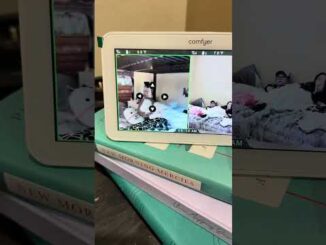
✔️ How to use split-screen mode with two cameras
✔️ How to control pan, tilt, and zoom functions remotely
✔️ How to activate infrared night vision
✔️ How to use two-way talk and lullabies
✔️ How to enable VOX mode and save battery power
✔️ How to monitor room temperature and sound alerts
✔️ Troubleshooting common baby monitor issues
✔️ Hidden features for better baby monitoring
🔄 Fix Issues (IMPORTANT):
Baby monitor won’t turn on → Charge the parent unit fully and check both power adapters.
No video signal → Make sure the camera and monitor are powered on and paired correctly.
Camera won’t pair → Reset the camera connection and complete the pairing process again.
Split-screen not working → Confirm that both cameras are connected and selected in the monitor settings.
No sound from monitor → Increase volume and check VOX/audio settings.
Night vision not working → Ensure the camera lens is clean and the room lighting is low enough for infrared mode.
Battery drains quickly → Reduce screen brightness and enable VOX mode to extend battery life.
💡 Hidden Tips & Features:
Use split-screen mode to monitor two rooms or two children at the same time.
The remote pan and tilt control lets you adjust the camera view without entering the nursery.
Use VOX mode to keep the screen off until sound is detected, helping save battery power.
The infrared night vision automatically switches on in dark environments.
Use the built-in lullabies and two-way talk to comfort your baby remotely.
Monitor the nursery temperature directly from the parent unit.
The 2.4GHz FHSS connection provides private local monitoring without internet access.
Add compatible extra cameras if you need additional room coverage.
👍 If this guide helps you, don’t forget to like, share, and subscribe for more baby monitor tutorials and smart home device guides.
📩 For questions or support, feel free to leave a comment and connect with our community.
#hellobaby #hb6351 #hb63512 #babymonitor #videobabymonitor #setupguide
HelloBaby HB6351-2 User Guide
HelloBaby HB6351-2 Setup Tutorial
HelloBaby Dual Camera Baby Monitor Guide
5 Inch Baby Monitor Tutorial
Wireless Baby Monitor Setup
Split Screen Baby Monitor Guide
Night Vision Baby Monitor
Two Way Talk Baby Monitor
VOX Mode Baby Monitor
Baby Camera Troubleshooting

Be the first to comment